⛵️ Painting with Rebelle 8 Pro
First impressions as a tool for self-study and game art.
Art is an interest that I’ve long held but never truly pursued. For the longest time, I didn’t believe I had the talent. Then a few years ago, I surprised myself with a painting that didn’t suck. It was at a paint party, with the initial sketch, reference image, paint supplies, and instructor all provided.
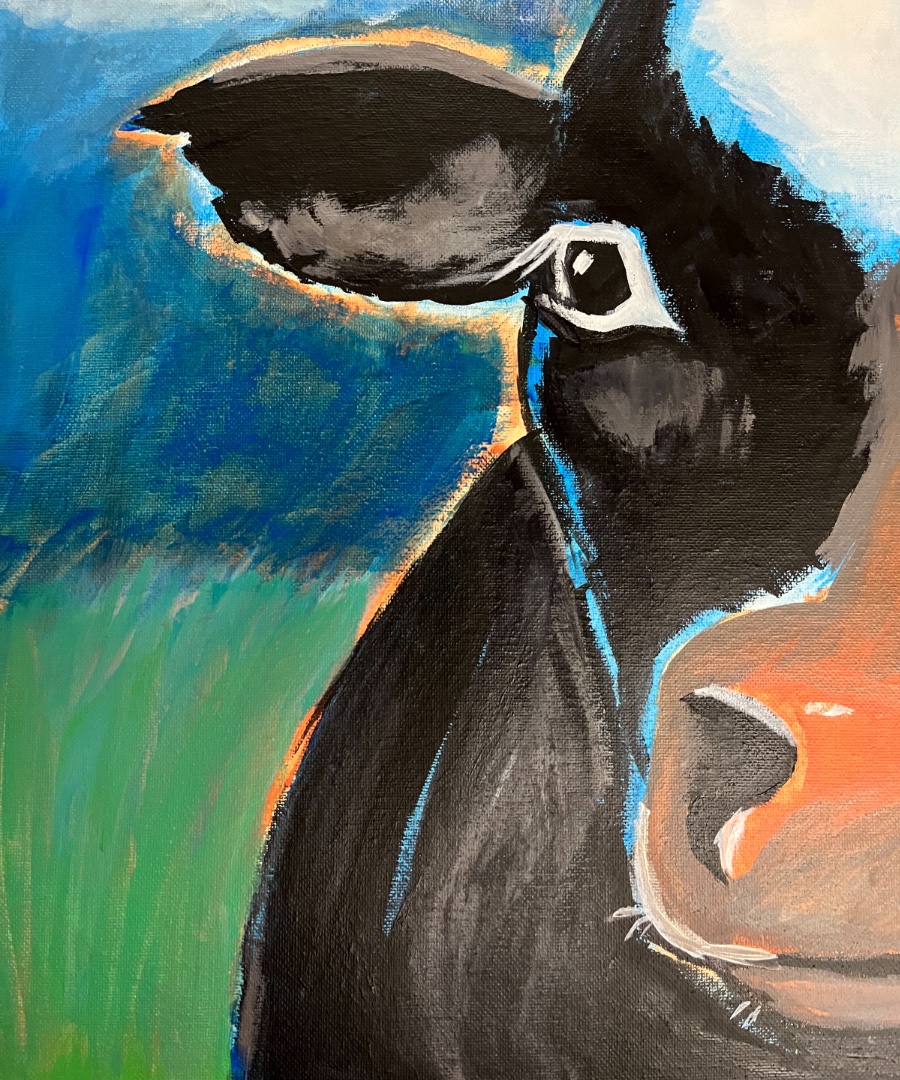
I walked away from that event thinking, “Hey, maybe I can create art afterall.”
Game Art
My long-term goal of becoming a solo game dev provides a creative outlet for many skills. Art is one of those skills, but it’s all about the journey and the learning, not the end result.
One question I’ve been asking myself lately is, “What kind of art do I want to make?”
When I studied art in high school, I convinced my teacher to let me create a little game for a main project. That was so long ago that the school computers only displayed 4 colors (black, white, cyan, and magenta). Pixel art was the only option.
Pixel art remains popular today. Of the games I’ve played recently, Octopath Traveler II, Loco Motive, and The Drifter all have pixel art. As much as I enjoyed playing those games, I prefer the art styles of Trails in the Sky 1st Chapter, Foolish Mortals, and Dragon Quest VII Reimagined.
Still, I tried out Aseprite. My first impression is that it’s well designed and intuitive, and the program I’d likely use if I decide to make any games that call for pixel art in the future. It can be used with a pen tablet for broad strokes, but it’s really designed to be used with a mouse.
I’ve read that pixel art is easier to learn than digital painting, but I don’t think that’s true. While each medium has its specific considerations, pixel art still benefits from all the same art fundamentals.
Rebelle
There is a long list of art fundamentals I want to learn and put into practice: composition, perspective, value, color theory, light and shadow, gesture, anatomy, etc. Beyond the fundamentals, there is so much more to learn: character design, clothing, animals, landscapes, architecture, and so on.
I think I found the perfect tool to use while learning. Rebelle 8 Pro is painting software with an emphasis on natural media. Everything is simulated:
- Watercolour and ink flow according to the tilt and texture of the canvas
- Cobalt Blue and Cadmium Yellow blend like traditional pigments (instead of like light)
- Oil and acrylic paint can build up as thick layers of impasto
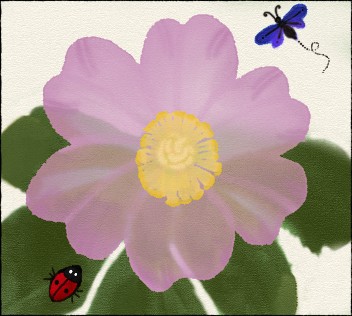
It allows me to learn and experiment without feeling like I’m wasting materials. No need to take over the kitchen table and no cleanup. I can work through books and courses on traditional watercolour, gouache, pencil crayons, and charcoal without needing all those supplies. Then take what I’ve learned back to traditional art if I want.
In anticipation of spring, I painted this wild rose with some critters. I didn’t really pay attention to lighting or scale, but it was fun.
Not only was it a joy to watch the watercolour react, I was also impressed by the user interface:
- Brushes are nicely grouped, rather than one overwhelming list
- Hot keys to switch tools can be held to switch temporarily, such as E for eraser
- The reference guides feature looks really handy for studying proper proportions
Desktop
One catch is that Rebelle is a desktop app. For me, this is what I wanted.
Three years ago I purchased a Huion Kamvas Pro 24" (4K). Now there are newer generation pen displays with nicer screens, touch screens and better pens, but the first generation still does the job. Drawing on a large canvas with no batteries to recharge is quite nice. Compared to the iPad Air, the only thing I miss is the lack of barrel roll.
Limitations
Rebelle looks like a great tool to use while learning art, but what about as a tool for game art? I did run into some limitations.
It has a stencils feature for drawing patterns from stencils and a symmetry mode, but I couldn’t find a Krita-style wrap-around mode (or tiled mode) for creating repeating patterns and textures. That could be useful for creating stencils and for game textures.
Games are not static, so the biggest limitation is that Rebelle has no timeline or onion skinning. But animation is a separate topic for another day.
Visual Variety
Steam is flooded with indie games that look like all the other indie games. I think Rebelle could be used to bring a little more visual variety to games.
Watercolour has found its way into a few games. The towns in Bravely Default II, the backgrounds of Cuphead, or the entirety of Dordogne. With Rebelle, it may be possible to acheive similar quality without the arduous process of scanning traditional watercolour. A few more games in that style wouldn’t hurt.
Watercolour isn’t the only option though. Why not craft interactive worlds with oil, acryllic, pastel, charcoal, or ink? I’m excited for the possibilities!
Setting a Course
At this point I’ve accumulated quite a few learning resourses. Some courses from Proko, Domestika, and Udemy. Shelves lined with literally hundreds of art books to study and inspire.
Now that I have the time and capacity to really dive in, the big question is, where to start?
I think Drawing Basics is the most obvious place. Sitting through 80+ hours of lecture doesn’t sound very appealing, but that’s just part of being a student, even if I’m taking the self-study approach.
Art isn’t the only thing I’m learning though. See my posts on animation and music.